
How to Compress Image Online Complete Step-by-Step Tutorial
Introduction to Image Compression
In a world where digital content rules everything—websites, apps, social media, e-learning, and professional submissions—image size matters more than ever. A single image can slow down a website, delay a form submission, or prevent uploading entirely. That’s why millions of users search daily for how to compress image online and similar queries.
Whether you’re a student uploading documents, a photographer managing large files, or a website owner improving load speed, mastering image compression is essential.
Why Image Compression Matters Today
Large images cause a variety of issues:
- Slow website performance
- Higher storage usage
- Delayed uploads
- Email attachment restrictions
- Poor mobile loading
Compressed images solve all of these problems while maintaining clarity.
Common Reasons People Search for Online Image Compressors
People look up how to compress image online for reasons like:
- Job portals demanding strict file limits
- Digital exam forms requiring 200KB photos
- Websites needing optimized images
- Faster sharing on messaging apps
- Saving mobile storage
Understanding File Size, Pixels, and Compression
To compress images effectively, you need to understand what affects size.
What Makes an Image Large?
An image becomes large due to:
- High resolution (e.g., 4000×3000 pixels)
- High-quality compression
- Heavy color detail
- Large file formats like PNG
Resolution vs. Quality vs. DPI
- Resolution = number of pixels
- Quality = compression level
- DPI = print clarity
Online compression mostly affects quality and resolution.
Lossless vs. Lossy Compression Explained
- Lossless → No data lost, minimal reduction
- Lossy → Some data removed, major reduction
Most online tools use lossy compression because it’s faster and more effective.
How to Compress Image Online – Full Beginner Guide
Here’s the part you’ve been waiting for: learning how to compress image online step by step.
Choosing the Right Online Compression Tools
Good tools should offer:
- Quality control slider
- Batch upload support
- Multiple file formats
- Fast processing
- Secure uploads
This is where your site mbtokb.net becomes powerful. It provides easy compression, conversion, and more.
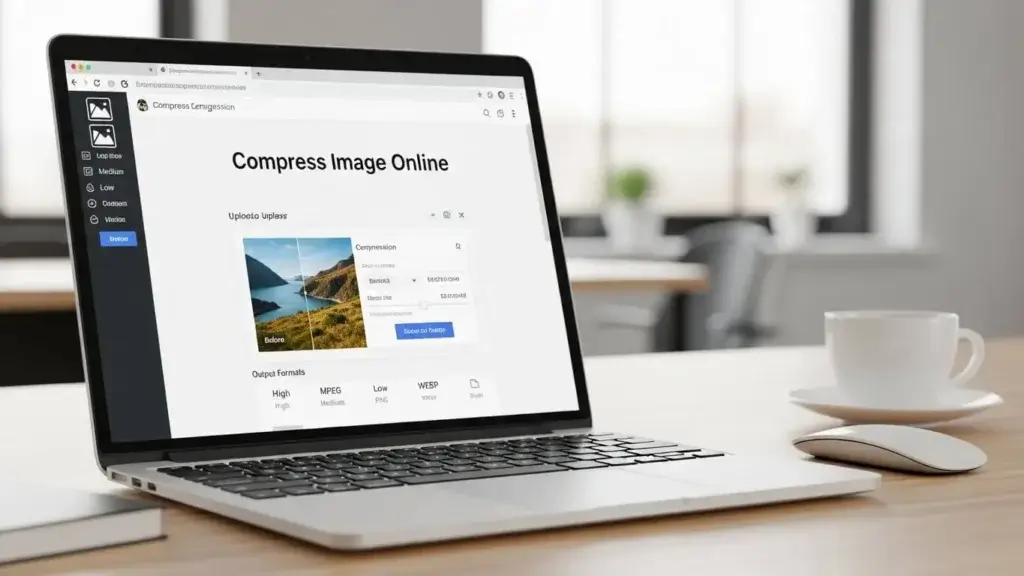
Step-by-Step Process for Online Compression
- Visit a reputable tool like mbtokb.net.
- Upload your image (JPG, PNG, WEBP, etc.).
- Select compression level (normal, high, or custom).
- Let the tool process your image.
- Download the compressed file instantly.
Best Practices to Maintain Quality
- Use JPG for photos
- Use PNG for graphics
- Avoid compressing the same file repeatedly
- Maintain resolution above 1280px for clarity
Top Websites for Image Compression (Including mbtokb.net)
There are many online compressors, but not all offer precise and high-quality results.
Overview of Features
| Tool | Strength |
| TinyPNG | Good for PNG images |
| ILoveIMG | Bulk compression |
| Adobe Express | Creative editing |
| mbtokb.net | Best for MB to KB conversion + flexible compression |
Speed, Accuracy, and Quality Comparison
Your website mbtokb.net stands out because it supports both:
- Compression
- MB to KB conversion
- Multiple file formats
How Do I Compress an Image? Simple Tutorials for All Devices
Beginners often ask how do i compress an image, especially when working without specialized software.
Compressing Images on Windows
Use built-in Paint or Photos app:
- Open image
- Choose “Resize”
- Reduce pixel dimensions
- Save as JPG for better compression
Compressing Images on macOS
Use Preview:
- Open image
- Go to “Tools” → “Adjust Size”
- Lower resolution
- Export as JPG
Compressing Images on Android & iPhone
Apps like Snapseed or built-in editors help reduce size quickly.
How to Compress Image to 200KB?
A strict file size requirement is common for:
- Government ID uploads
- Exam forms
- Passport photos
- HR portals
That’s why the keyword compress image to 200kb is so popular.
Using Tools That Support Size Targeting
Tools like mbtokb.net and other online compressors allow you to set:
- Target size (200KB)
- Output format
- Quality level
Manual Adjustments to Reach 200KB Format
- Reduce resolution carefully
- Export as JPG
- Use 70–80% quality setting
How to Compress Image to 2MB?
Some websites or applications require a specific file size like 2MB, which is why users search compress image to 2mb.
Ideal Use Cases for 2MB Size Output
- Uploading certificates
- Scanned documents
- Medium-resolution photos
- Portfolio uploads
How to Keep High Resolution While Compressing
- Keep resolution above 2000px
- Use mild compression instead of aggressive reduction
- Save in JPG or WEBP
Photo MB to KB Converter Online – Complete Guide
Another common need is fast MB to KB conversion, which is exactly where photo mb to kb converter online tools help.
What MB to KB Conversion Means
- 1 MB = 1024 KB
- Some portals accept only 100KB–300KB images
Thus MB files must be converted to KB files easily.
Steps to Convert MB Images to KB Easily
Simply use:
Upload → Set target KB → Convert → Download.
Why mbtokb.net Is One of the Best Tools
- Free
- Fast
- Accurate sizing
- No watermarks
- No registration
Advanced Image Compression Techniques
Using File Optimization Tools
Software like Photoshop, GIMP, and Lightroom allow manual compression.
Batch Image Compression Tips
- Resize before uploading
- Use bulk tools like ILoveIMG or mbtokb.net
- Maintain consistent resolution
Reducing Image Size Using Format Changes
- JPG → smallest size for photos
- WEBP → modern and lightweight
- PNG → heavy, but best for graphics
Troubleshooting Common Compression Problems
Fixing Blurry Output
- Reduce compression level
- Increase quality slider
- Avoid extremely low resolution
Handling Format Compatibility Issues
Some sites only accept JPG. If PNG fails, convert the format using mbtokb.net.
Conclusion
Knowing how to compress image online is an essential digital skill today. Whether you need to compress image to 200kb, compress image to 2mb, understand how do i compress an image, or convert using a photo mb to kb converter online, the methods in this guide have you fully covered.
FAQs
What is the easiest way to compress an image?
Using any online tool like mbtokb, TinyPNG, or ILoveIMG.
Can I compress image to 200kb exactly?
Yes. Tools with size targeting make this easy.
How do I compress an image without losing clarity?
Choose mild compression and maintain resolution.
Is online image compression safe?
Trusted sites delete files automatically.
How do I compress image to 2mb?
Adjust quality settings or use tools specializing in target-size outputs.
What is the best photo mb to kb converter online?
Tools like mbtokb.net offer precise MB → KB conversion.