
Crop Image in Circle
With the free Crop Image in Circle tool, you can easily convert any photo into a clean and round shape. It is a perfect choice for profile pictures, websites, and social media.
Are you looking for a way to enhance your photos appearance and make it look professional? This tool will be a great help for you; it will process in just a few seconds. It is a free option for cropping circular photos that you can do in your browser without the need for sign-up.
The only thing you need to do is upload your image, make some adjustments to the circle, and finally download the image. This online image cropper keeps your photo quality sharp while giving it a smooth, round shape finish.

Steps to Crop an Image Into a Round Shape
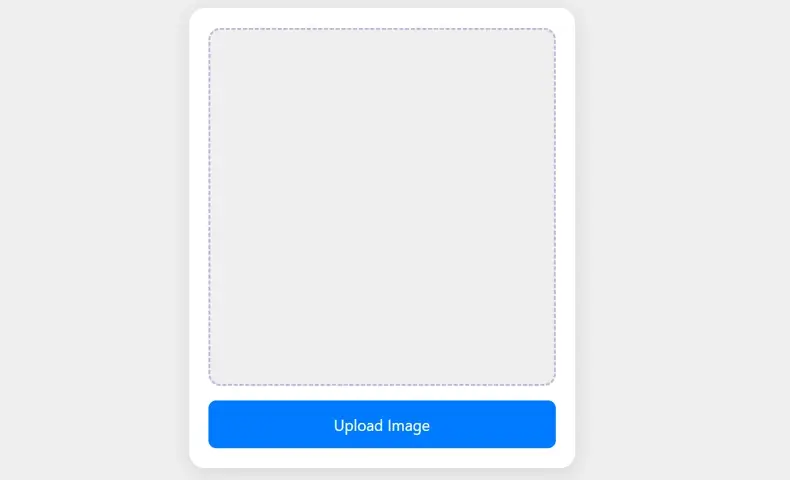
STEP 1: Upload Image
Click “Upload Image” and pick a photo from your device. Then wait for a moment. Your photo will shows up inside the square preview.
STEP 2: Image Adjustment
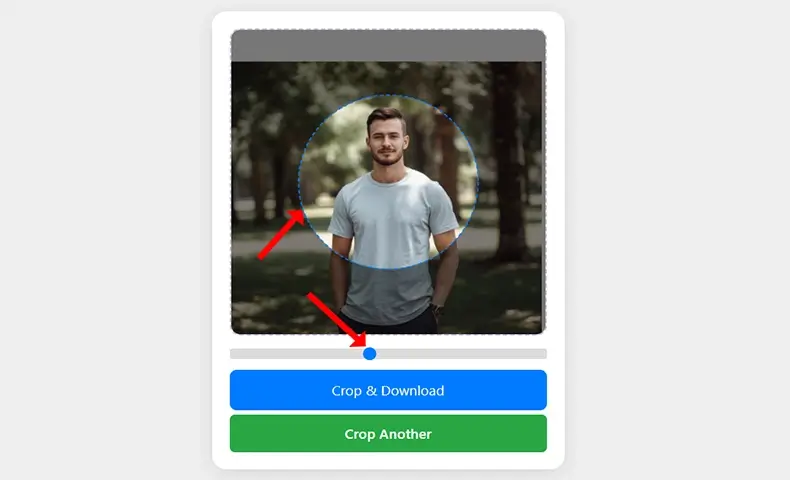
Drag the image with your mouse or finger to move it under the circle. Use the radius slider to make the circle bigger or smaller. Position the part you want inside the circle.
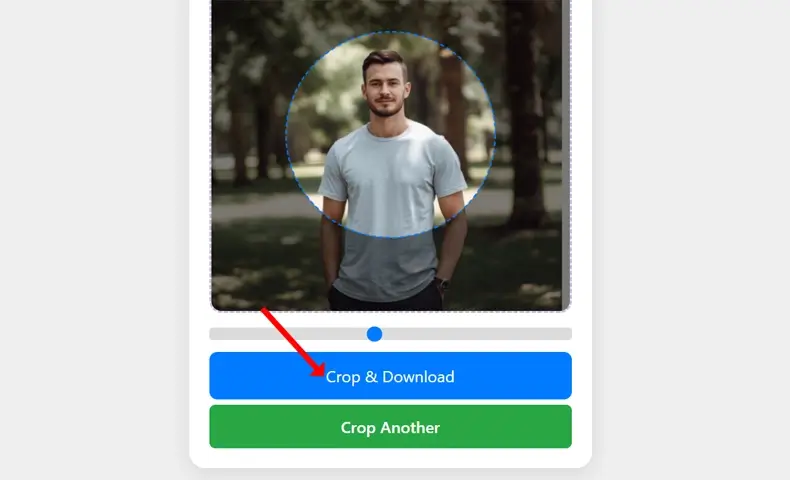
STEP 3: Download Image
After adjusting the image properly inside the circle, you’re ready to save your final result. Click “Crop & Download” to save the circular image to your device. Click “Crop Another” if you want to edit a new photo.
Key Features of Circle Image Cropper
Clean Circular Crop in Seconds
Quickly turn any photo into a smooth, round image without losing quality. This tool gives you a clean and professional circular crop ideal for profiles, websites, and social media.
Move & Adjust With Full Control
You can drag the image inside the circle to pick the exact part you want. The radius slider lets you resize the circle smoothly, giving you full control over the final result.
Works on All Devices, 100% Free
No account, no watermark, no limitations. The tool runs directly in your browser, works perfectly on mobile and desktop, and always stays 100% free to use.
After cropping your image, you can also reduce its size using our free MB to KB Converter before uploading it anywhere online.
Where Can You Use Circular Cropped Images?
Profile Pictures
Create clean, modern profile photos for social media accounts, forums, and professional platforms.
Social Media Icons & Posts
Round images look great in Instagram highlights, Facebook pages, TikTok icons, and story covers.
Branding & Logos
Make your logo or brand marks circular for a consistent, polished design across websites and print media.
Testimonials & Team Photos
Use circle-cropped pictures to display customer testimonials or team members in a friendly, professional style.
Website Design Sections
Perfect for contact pages, “About Us” sections, headers, and landing page elements.
Avatars & Gaming Profiles
Ideal for creating clean avatars used in gaming platforms, forums, and online communities.
App UI/UX Design
App interfaces often use round images for user profiles, menu icons, and dashboards.
Business Presentations
Round photos help create clean, visually balanced slides in business presentations or pitch decks.
Email Signatures
Circular cropped images make email signatures look more professional and less cluttered.
Blog Post Thumbnails
Great for featured author images and category thumbnails on blogs.